
Best Website Builders to Create a Small Business Website
Your website is your first sales conversation — the one that happens before you pick up the phone.
For most small businesses, that conversation is either winning trust or losing it within the first few seconds. A site that loads slowly, looks dated, or buries the contact form three scrolls down isn’t neutral — it’s actively working against you. The question isn’t whether you need a website. It’s which platform lets you build one that actually performs, at a cost that makes sense for a small team.
This guide compares three platforms that consistently deliver for small businesses — not based on feature counts, but on how well they match the three most common situations:
- Wix — if you want visual control and built-in business tools without touching code or managing hosting
- WordPress — if you need long-term scalability, full SEO ownership, and a platform that can grow into anything
- uKit — if you want the fastest path to a clean, professional site with the lowest possible learning curve and cost
Each one is the right answer for a specific situation. Here’s how to figure out which situation is yours.
If You Want a DIY Site with Total Visual Control → Wix
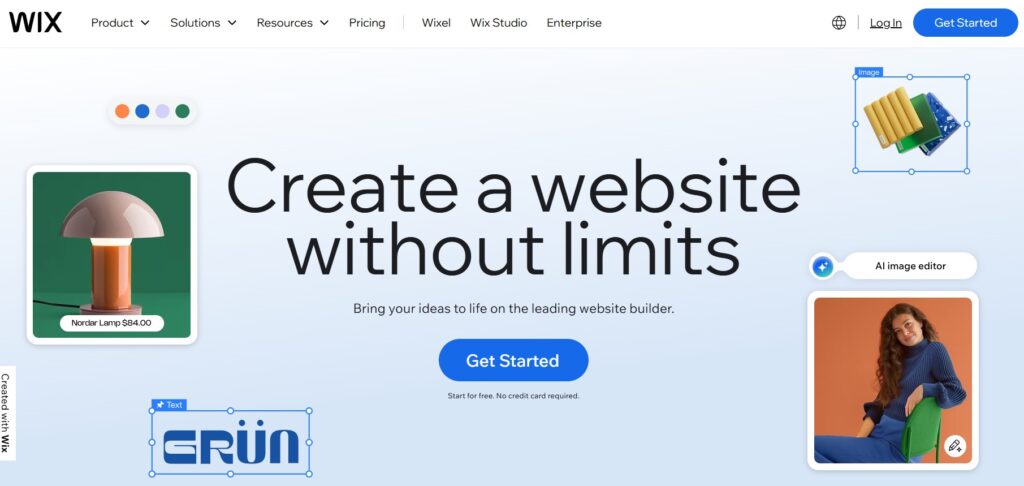
Wix is what happens when a website builder takes design seriously. The drag-and-drop editor doesn’t constrain you to a grid — you place elements exactly where you want them, resize them freely, layer them, animate them, and preview the result in real time. For a business owner who wants a site that looks like it was designed intentionally rather than assembled from a template, Wix is the most capable no-code option available.
Why Wix works for small businesses
The platform combines visual design freedom with a complete business operations layer — all under one subscription, no plugins required:
- 900+ industry templates covering restaurants, coaching, real estate, fitness, construction, beauty, legal, events, and more — each pre-structured with the right sections for that business type
- Wix ADI — answer a few questions about your business and Wix generates a complete site automatically, which you then customize. Useful for getting a working baseline in under 10 minutes
- Wix Bookings — accept appointments, manage availability, and take deposits online; syncs with Google Calendar
- Wix Stores — full e-commerce with product variants, inventory, coupons, abandoned cart recovery, and multi-currency
- Wix CRM — lead capture, contact management, automated email follow-ups, and a shared inbox for client communications
- Wix Blog — content publishing with social sharing, categories, RSS, and SEO metadata control built in
- Wix SEO tools — a step-by-step SEO setup checklist covering meta tags, structured data, sitemaps, and Google Search Console connection; no plugin needed
Pricing: free plan available (Wix-branded domain, ads). Paid plans start at $17/month (Light — custom domain, no ads), $29/month (Core — adds site analytics and 50GB storage), $36/month (Business — full e-commerce and recurring payments). For most small service businesses without a store, Core covers everything.
Pros of Using Wix | Cons of Using Wix |
|
|
Real-world use cases for Wix
A yoga instructor sets up class schedules, accepts online bookings and payments through Wix Bookings, and syncs availability with a Google Calendar clients can view before booking — all configured without a developer.
A local repair service (plumber, electrician, HVAC) builds a service-area page with an embedded map, before-and-after photo gallery, and a lead form that routes inquiries directly to their phone via email notification.
A boutique clothing shop uses Wix Stores to run a full online store — product variants by size and color, inventory tracking, discount codes, and local pickup or shipping options — alongside a lookbook built in the visual editor.
A restaurant or café displays a formatted menu, enables table reservations through a booking widget, and shows location and hours on every page without needing a separate plugin.
A photographer or designer builds a visual portfolio with full-bleed galleries, client-specific password-protected pages, and an integrated booking flow for shoots or consultations.
The common thread: Wix works best when the business owner wants to manage the site themselves long-term, the design needs to look polished, and the built-in business tools (bookings, store, CRM) replace what would otherwise be separate subscriptions.
If You Want Full Control and Long-Term Growth → WordPress
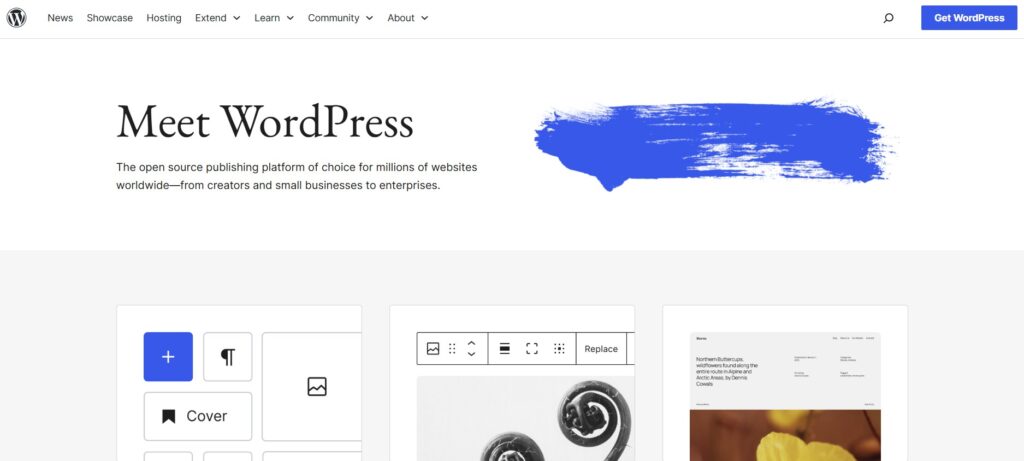
WordPress isn’t a website builder — it’s the infrastructure the web runs on. Over 40% of all websites are built on it, including major media outlets, e-commerce brands, SaaS platforms, and millions of small business sites. The reason is simple: WordPress imposes no ceiling on what your site can become.
The trade-off is real. WordPress requires you to arrange your own hosting, install a theme, and configure plugins for the features you need. That’s more setup than Wix or uKit. But what you get in exchange is complete ownership, no platform dependency, and a plugin ecosystem of 59,000+ extensions covering essentially every business function imaginable.
Why WordPress works for small businesses
- 11,000+ free themes plus thousands of premium ones — ranging from minimal business sites to complex portfolio layouts
- Plugin ecosystem covering every business need: WooCommerce for e-commerce, Yoast or Rank Math for SEO, WPForms or Gravity Forms for intake, LMS plugins for course platforms, membership plugins for gated content, booking plugins for service scheduling, multilingual plugins for international audiences
- WooCommerce turns any WordPress site into a full online store with product management, shipping rules, tax calculation, subscriptions, wholesale pricing, and POS integration
- SEO ownership — full control over URL structure, canonical tags, schema markup, page speed optimization, and Core Web Vitals; no platform intermediary between your site and Google
- No lock-in — your site, database, and files are yours. You can move hosts, clone environments, create staging copies, or migrate to any infrastructure without asking permission
Pricing: WordPress itself is free and open-source. Hosting costs $3–20/month depending on provider and plan (Bluehost, SiteGround, Kinsta are common choices). Premium themes run $40–100 one-time. Essential plugins range from free to $50–200/year each. Total realistic cost for a well-configured small business site: $10–30/month ongoing, depending on hosting tier and plugin choices.
Pros of Using WordPress | Cons of Using WordPress |
|
|
Real-World Use Cases for WordPress
A content-driven business — blogger, publisher, digital media brand — uses WordPress’s native publishing tools with Yoast SEO to build an archive of optimized articles that drives consistent organic traffic. The platform is built for this; no other builder matches it for content volume and SEO depth.
An online store uses WooCommerce to sell physical or digital products, with a blog driving traffic to product pages. The combination of content marketing and e-commerce on one platform, sharing the same domain and SEO authority, is WordPress’s strongest commercial use case.
A service agency — design studio, marketing firm, consultancy — builds a multi-page site with team bios, detailed case studies, service landing pages, and a custom inquiry form that routes submissions by service type. The site grows with the business; adding new service pages or team members never requires the agency to rebuild anything.
A coach or educator runs a membership platform with gated course content, recurring subscriptions, student dashboards, and session booking — all on one WordPress install with the right plugin stack.
A multilingual business serving diverse markets uses WPML or Polylang to serve content in multiple languages with proper hreflang tags — something most visual builders either can’t do natively or charge significantly extra for.
WordPress is the right call when the website needs to become infrastructure — when it’s not just a brochure but a platform that your business runs on.
WordPress’s power comes with ongoing responsibility: updates, backups, security patches, and occasional plugin conflicts. For some business owners, that maintenance load eventually outweighs the flexibility benefits — especially as their time becomes more valuable than their hosting bill.
But despite all its advantages and strengths, WordPress also has a number of drawbacks. For many users, its functionality is excessive. Managing the hosting + CMS combination can be complicated, not to mention potential issues with updates, security, and other technical problems. That’s why many people, after trying WordPress, decide to switch to Wix — either on their own or by ordering a website migration service from WordPress to Wix from https://wordpresstowix.pro/. The most important thing is not how it’s done, but that the site is transferred correctly and continues to work on the new platform.
If You Want a Simple, Clean, Budget-Friendly Site → uKit
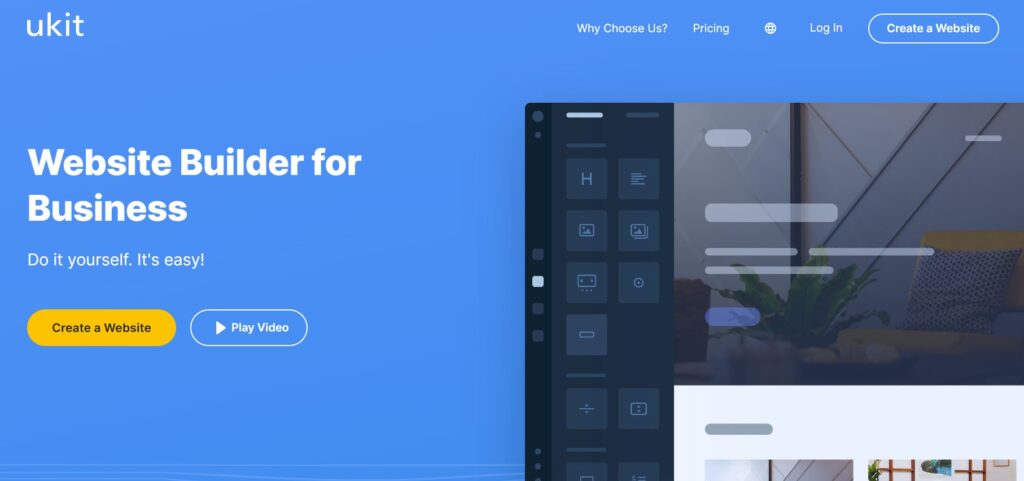
uKit is built around a single premise: most small business websites don’t need maximum flexibility. They need a clean design, fast load times, a contact form that works, and a pricing page that’s easy to update. uKit delivers exactly that — faster and cheaper than any other platform in this comparison.
The builder works through a block system: you select pre-made sections (About, Services, Gallery, Pricing, Testimonials, Contact, etc.), adjust the content and colors, and publish. There’s no blank canvas to stare at, no design decisions to agonize over. The structure is already solved; you’re filling it in.
Why uKit works for small businesses
- 350+ modern templates across business services, coaching, healthcare, construction, real estate, events, and portfolios — each designed with the right sections for that business type already in place
- Block-based editor means the hardest design decision is which sections to include — layout, spacing, and mobile responsiveness are handled automatically
- Fast load times — templates are optimized for performance out of the box, which matters for both SEO rankings and mobile users on slower connections
- Built-in essentials — SSL certificate, hosting, mobile preview, automatic backups, and basic analytics included on every plan, no add-ons required
- Lead generation focused — contact forms, click-to-call buttons, service descriptions, and pricing tables are first-class features, not afterthoughts
What uKit doesn’t do: large-scale e-commerce, complex membership systems, or deeply custom functionality. If you need those, Wix or WordPress is the right call. If you need a professional business presence that converts local visitors into inquiries — uKit covers it completely.
Pricing: 14-day free trial, no credit card required. Paid plans start at approximately $4–8/month (annual billing), making it the lowest-cost option in this comparison by a significant margin. All plans include hosting, SSL, and the full template library.
Pros of Using uKit | Cons of Using uKit |
|
|
Real-World Use Cases for uKit
A handyman or electrician publishes a homepage listing services, adds a photo gallery of completed work, and includes a contact form and click-to-call button — the two things a local service prospect needs before picking up the phone. Setup time: a few hours.
A real estate agent creates a personal profile page with a property gallery, neighborhood expertise section, client testimonials, and a callback request form — a professional presence that costs less per month than a single printed flyer.
A personal trainer organizes services, schedules, and pricing into clear sections, adds before-and-after client results, and gives visitors a simple form to book a consultation. No booking system complexity required — just clear structure and a contact point.
A freelance consultant presents their expertise, past client work, and a simple process overview — giving potential clients enough context to reach out with realistic expectations rather than cold inquiries.
A local service provider (cleaner, landscaper, repair technician) uses uKit’s pricing table block to display service tiers clearly, reducing the “how much does it cost?” calls that waste time on both sides.
The pattern across all these cases: uKit works best when the site’s job is to present, reassure, and convert — not to function as a complex business platform. For that job, its simplicity is a feature, not a limitation.
Final Comparison
Feature / Need | Wix | WordPress | uKit |
Beginner friendliness | ⭐⭐⭐⭐⭐ | ⭐⭐ | ⭐⭐⭐⭐⭐ |
Design freedom | Very high | Unlimited (with plugins/code) | Medium (block-based) |
Built-in business tools | Full suite (bookings, CRM, store, blog) | Plugin-based — any tool available | Basic essentials |
SEO control | High (built-in, guided) | Very high (full technical access) | Medium |
E-commerce | Full (Wix Stores) | Full (WooCommerce) | Basic only |
Long-term scalability | Medium | Very high | Low–Medium |
Maintenance required | None — fully managed | Yes — updates, backups, security | None — fully managed |
Platform lock-in | Yes — can’t export | No — you own everything | Yes — can’t export |
Starting cost | $17/month (paid) | ~$10–15/month (hosting + free WP) | ~$4–8/month (annual) |
Best for | Visual sites + built-in business ops | Scalable platforms + content marketing | Fast, clean local business sites |
Final Thoughts: Match the Tool to the Job
The right website builder isn’t the one with the most features — it’s the one that gets your site live, keeps it running without friction, and grows with how your business actually operates.
Choose Wix if you want to design your site yourself, need built-in booking, store, or CRM tools, and want to handle everything from one dashboard without managing hosting or plugins. The $29/month Core plan covers most small service businesses completely.
Choose WordPress if the site needs to become a business platform — content marketing at scale, a full e-commerce operation, a membership system, or a multi-team site that will expand significantly over time. Budget $10–20/month for hosting and expect to spend time on setup. The long-term payoff in SEO ownership and flexibility is real.
Choose uKit if you need a professional business presence live within a day, you’re not interested in managing design complexity, and the budget is a genuine constraint. For local service businesses, freelancers, and independent professionals whose website’s job is to present and convert — not to function as a platform — uKit at $4–8/month is the most practical choice available.
The site you launch this week beats the perfect site you’re still planning in six months. Pick the platform that matches where you are right now, not the one that covers everything you might eventually need.