
From Contact Form to Smart Project Intake: Online Calculators for Software Development Needs
Custom software projects never start with code. They start with questions — and how you collect those questions determines the quality of everything that follows.
The standard “Tell us about your project” text area produces predictable results: vague briefs, three-round email threads, and discovery calls spent reconstructing information the client already had in their head. By the time your team has enough context to scope the project, you’ve invested hours you didn’t bill for — and the client has already started wondering if this is going to be slow.
Interactive forms and calculators fix this at the source. A well-designed intake flow walks a prospect through their own project before they talk to anyone on your team: business goals, target users, platform requirements, must-have features, integration constraints, rough budget. By the time they hit “submit,” you have structured data instead of a paragraph, and they have a clearer picture of what they’re actually asking for.
The three platforms below — AidaForm, Youengage, and uCalc — all make this possible without custom development. They’re different tools for different parts of the intake problem, and the right choice depends on where in your sales process the intake lives.
From Contact Form to Guided Intake
Think of a smart intake flow as a pre-discovery workshop that runs on your website at midnight, for every visitor, without your team present.
Instead of a free-form text box, you walk prospects through a structured sequence: business problem, target audience, platforms (web, mobile, both), core feature set, integrations, constraints, and budget range. Along the way, conditional logic removes questions that aren’t relevant — a prospect building a mobile app doesn’t see questions about web hosting architecture. A prospect with a $20,000 budget doesn’t get asked about enterprise SSO requirements.
The practical payoff is concrete:
For the prospect: they don’t stare at a blank field wondering what to type. Structured choices reduce the cognitive load of the first touchpoint — which matters when they’re evaluating three studios simultaneously.
For your team: responses arrive in a consistent format. Scoping, prioritization, and timeline estimation all move faster when you’re working from structured data rather than reconstructing intent from a paragraph.
For lead quality: prospects who complete a detailed intake flow are self-selected. The effort filters out tire-kickers. The people who finish are genuinely invested — and typically align better with the project scope your studio handles well.
A concrete example of what a “Custom Software Project Planner” intake flow looks like in practice:
- What type of product are you building? (Web app / Mobile app / SaaS platform / Internal tool / Other)
- Who will use it? (Internal team / B2B customers / B2C consumers / Mixed)
- What’s the primary problem it solves? (Multiple choice with an “Other” open field)
- Which features are must-haves for launch? (Checklist: user auth, payments, notifications, admin dashboard, API integrations, reporting, etc.)
- Do you have an existing codebase or are you starting from scratch?
- What’s your target timeline for the first release?
- What’s your approximate budget range? (Slider or tiered ranges)
- Contact details + preferred way to continue the conversation
That’s eight questions. Each one replaces a discovery call segment. By the time your team reads the submission, the first meeting can skip orientation entirely and go straight to solution design.
AidaForm: Best for Deep, Multi-Step Project Intake
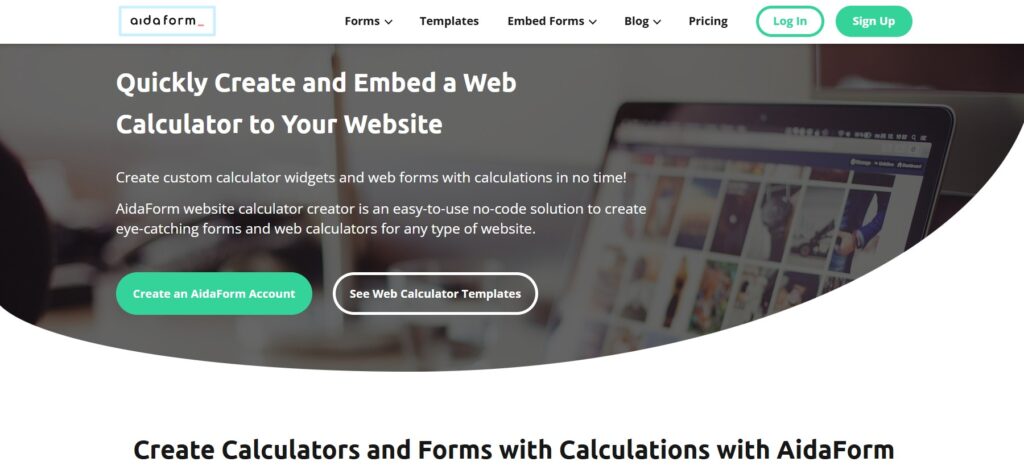
AidaForm started as a form builder and has grown into a capable platform for multi-page forms, quizzes, surveys, and calculators. For a software studio, its key advantage is the combination of deep conditional logic and dedicated calculation fields in the same builder — meaning you can create a project intake that collects requirements and outputs a rough budget estimate in the same flow, without stitching together two separate tools.
What the builder actually looks like
AidaForm’s editor is field-based: you drag in pre-built components (dropdowns, sliders, checkboxes, calculation fields, file uploads, signature fields) and configure their logic in a side panel. Conditional logic works at the field and page level — you can show or hide individual questions and skip entire sections based on prior answers. For a multi-step intake covering web, mobile, and SaaS projects differently, that section-level branching keeps the flow from becoming overwhelming.
The calculation layer connects field values to formula outputs. A “Project Cost Estimator” that adds up selected features, applies a rate multiplier based on timeline urgency, and displays a budget range on the final screen — that’s a straightforward AidaForm build. The output can appear inline before the contact details form, which creates the natural lead gate: “see your estimate → submit your brief.”
Layouts and presentation
AidaForm supports both classic (all fields on one page) and conversational (one question at a time) layouts. For software project intake specifically, the conversational layout tends to perform better — it reduces visual overwhelm and keeps prospects moving forward through the sequence.
Integrations and data routing
Form submissions connect to email notifications, Google Sheets, Zapier (which covers CRM routing to HubSpot, Salesforce, etc.), and direct webhooks. Every submission includes the full response set, so your CRM record arrives with structured project data attached — not just a name and email.
Pricing: free plan available; paid plans from approximately $12–19/month depending on features and billing cycle.
Where AidaForm fits best: replacing a long PDF questionnaire or a vague “describe your project” form with a structured, multi-page intake wizard that also outputs a budget estimate. If your intake process currently lives in a Google Doc or a Typeform that doesn’t do math, AidaForm is the natural upgrade.
Where it falls short: if your goal is interactive marketing content (assessments, quizzes with scored outcomes, top-of-funnel lead magnets) rather than structured data collection, Youengage is the better fit.
Youengage: Best for Assessments and Marketing-Integrated Qualification
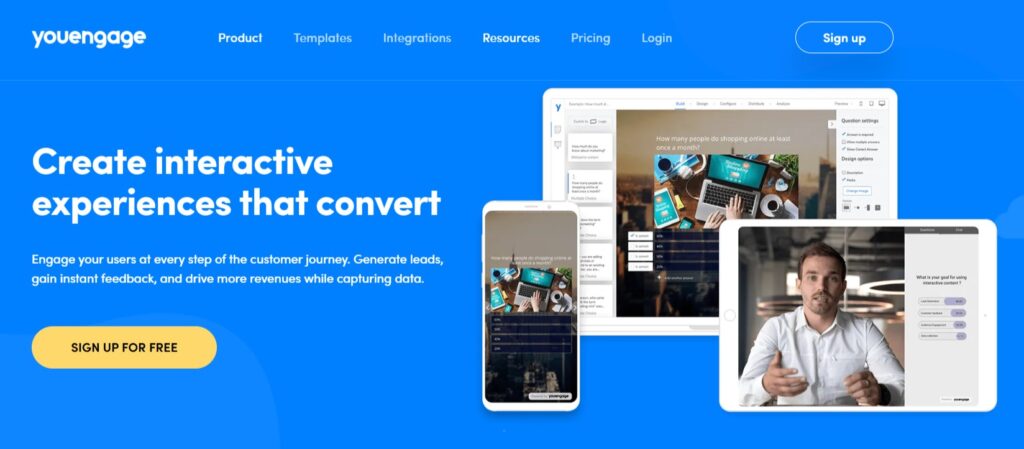
Youengage is built around a different idea: interactive content as a marketing asset, not just a data collection tool. The platform covers quizzes, assessments, polls, calculators, surveys, and product recommendation flows — all designed to engage prospects at the top of the funnel before they’re ready to request a quote.
For a custom software studio, that distinction matters. AidaForm replaces the intake form after a prospect decides to reach out. Youengage works earlier — it’s the interactive experience that helps a prospect figure out whether they even need a custom build, which vendor type fits their situation, or how mature their current technical setup is.
What this looks like in a software studio context
A “Custom vs. Off-the-Shelf” decision quiz: prospects answer questions about their requirements, team size, budget, and timeline. The quiz logic scores their answers and outputs a recommendation — “Based on your answers, a custom build is likely worth it for you because X and Y” or “A configured SaaS product might be more practical at your current stage.” Either way, you’ve provided real value before asking for anything. The prospects who continue to a consultation are pre-qualified.
A “Digital Readiness Assessment”: companies evaluate their current processes, tech stack, and automation gaps. The assessment scores each area and produces a tailored result page — “Your logistics workflow scores well on data structure but has significant gaps in automation.” The CTA on that result page connects directly to your relevant service (process automation, system integration, custom tooling).
A “Migration Complexity Estimator”: for studios that handle platform migrations, a prospect inputs their current system, data volume, integration count, and compliance requirements — and gets a rough complexity score and timeline range before booking a call.
Scoring, segmentation, and routing
Youengage supports outcome-based scoring: respondents are routed to different result pages and follow-up sequences based on their total score or specific answer combinations. A prospect who scores “High Complexity” on a readiness assessment gets a different email sequence than one who scores “Quick Win.” That segmentation happens automatically, without manual review.
Integrations: connects to major email platforms, CRMs, and analytics tools. Prospect data — including scores and individual answers — routes to your CRM as contact properties.
Pricing: free plan available; paid plans from approximately $19/month.
Where Youengage fits best: top-of-funnel interactive content that qualifies and segments leads before they reach your intake form. It works alongside AidaForm or uCalc, not instead of them — Youengage captures the lead, the intake form collects the project detail.
Where it falls short: if you need a calculation-heavy estimator that outputs real numbers (dollar ranges, timeline estimates, feature-based pricing), Youengage’s calculation layer is lighter than AidaForm’s or uCalc’s. For math-first experiences, look at the other two.
uCalc: Best for Cost Estimators and Payment-Ready Intake Widgets
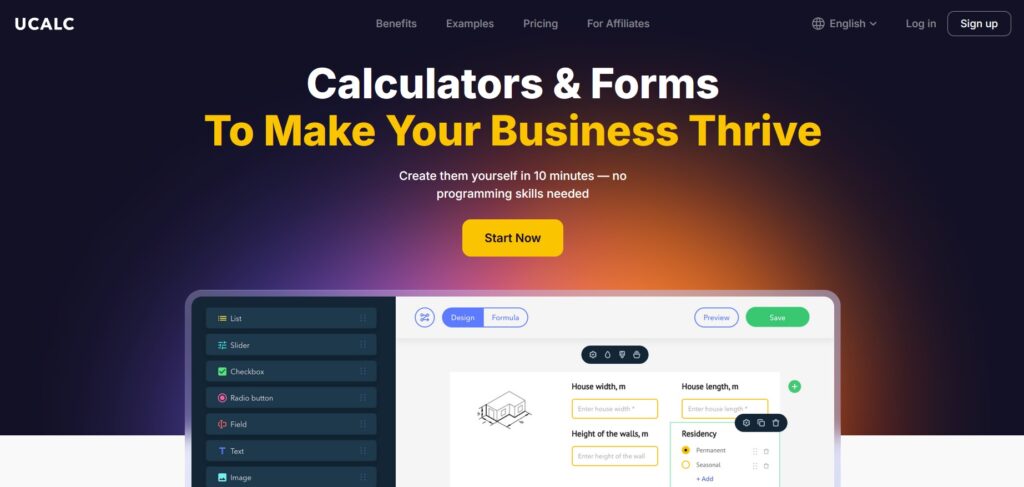
uCalc is built specifically for calculators and hybrid form-widgets — experiences where the primary output is a number (a price estimate, an ROI projection, a time savings calculation) and the lead capture is built into the same flow. For software studios that want a compact, embeddable estimator on a services page or pricing page, uCalc is the most direct path from idea to live widget.
What the builder actually looks like
uCalc’s editor works on a visual canvas: you drag in input elements — sliders, dropdowns, number fields, checkboxes, image selectors — and connect their values to formula outputs through a node-based interface. No spreadsheet syntax required. A “Custom Development Cost Estimator” that calculates a project range based on selected features, platform (web/mobile/both), timeline urgency, and integration count is a standard uCalc build that a non-developer can configure and adjust independently.
The formula layer handles: addition, multiplication, conditional multipliers, percentage-based adjustments, and tiered pricing logic. For most service pricing scenarios in a software studio — base rate + feature additions + timeline premium — it covers everything without workarounds.
The lead capture mechanism
uCalc’s lead gate is cleanly implemented: you position an email and brief field either before the result (“submit your details to see your estimate”) or after (“save and send your estimate”). Every submission is tagged with the full input set — your CRM receives not just a contact record but exactly which features, platforms, and constraints the prospect selected. That context changes the first conversation from orientation to solution discussion.
Payment integration
uCalc supports Stripe and PayPal payment processing built directly into the calculator flow. For studios offering fixed-scope services — a discovery workshop, a technical audit, a UX review — a prospect can configure the service, see the price, and pay a deposit without leaving the page. That’s a materially different conversion flow than “fill out this form and we’ll get back to you.”
Embedding and technical integration
uCalc embeds via a single code snippet that works with any CMS or custom frontend. Editing happens in the uCalc dashboard, so content updates (pricing changes, new feature options, adjusted multipliers) don’t require a redeployment. For studios whose marketing team or account managers need to keep intake tools current without developer involvement, this matters.
Integrations route to Google Sheets, Mailchimp, Telegram, GetResponse, and Zapier for CRM connections.
Pricing: free plan available (submission-limited); paid plans from approximately $9–14/month.
Where uCalc fits best: a compact, high-converting estimator on your Services or Pricing page where you want prospects to run their own numbers before reaching out. Also the right call for fixed-scope service packages where a payment step makes sense.
Where it falls short: if your intake requires deeply structured multi-page flows with many branching paths and non-numerical question types, AidaForm handles that complexity more cleanly. uCalc is optimized for calculator-first experiences, not form-first ones.
Quick Comparison for a Software Studio
AidaForm | Youengage | uCalc | |
Primary role | Multi-step intake forms + embedded calculations | Interactive marketing content + lead scoring | Compact cost estimators + payment-ready widgets |
Best placed | After a prospect decides to reach out | Before — top-of-funnel qualification | On services/pricing pages as a conversion tool |
Calculation depth | Strong — dedicated calculation fields, multi-formula | Light — scoring-focused, not math-first | Strong — visual formula builder, conditional multipliers |
Conditional logic | Field-level and section-level branching | Outcome routing based on scores | Conditional visibility based on selections |
Lead capture | Form fields at any point in the flow | Email gate tied to result/outcome page | Before or after result display |
Payment processing | No | No | Yes — Stripe and PayPal native |
Data export | Email, Sheets, Zapier, webhooks | CRM, email platforms, analytics | Sheets, Mailchimp, Telegram, Zapier |
Free plan | Yes | Yes | Yes (submission-limited) |
Paid from | ~$12–19/month | ~$19/month | ~$9–14/month |
Best for | Replacing PDF questionnaires and multi-page intake wizards | Assessments and quizzes that qualify leads before intake | Estimators and fixed-scope service booking flows |
Choosing the Right Tool for Each Job
The three platforms aren’t competing for the same slot in your sales process — they cover different stages of it.
Use uCalc on your Services or Pricing page as the first interactive touchpoint. A “Custom Development Cost Estimator” that outputs a rough range based on platform, feature set, and timeline gives visitors a concrete number before they reach out. Prospects who submit after seeing their estimate arrive with calibrated expectations — which shortens the sales cycle and reduces the “we didn’t know it would cost that much” conversations.
Use AidaForm as your main intake instrument — the structured replacement for a contact form or PDF questionnaire. Configure it as a multi-page “Project Planner” that covers requirements, constraints, timeline, and budget in a guided flow. The output is a structured brief your team can act on immediately, not a paragraph to decode.
Use Youengage at the top of your funnel — as a “Digital Readiness Assessment” or “Custom vs. Off-the-Shelf” quiz embedded in blog posts, promoted through ads, or linked from social. It qualifies and segments leads before they reach your intake form, so the prospects who reach AidaForm or uCalc are already educated and self-selected.
Together, the three tools form a complete intake stack: Youengage qualifies, uCalc converts, AidaForm captures. You don’t need all three immediately — start with the one that fixes your biggest current gap.
If you’re losing leads because visitors arrive and see nothing but a contact form: start with uCalc on your services page this week. If your discovery calls consistently start from scratch because briefs are too vague: start with AidaForm as a project intake replacement. If your top-of-funnel traffic isn’t converting to consultations: start with a Youengage assessment that gives visitors something valuable before asking for their email.
The common thread is this: every time a prospect runs their own numbers, answers their own questions, or sees a tailored result on your site — they arrive at the first conversation already invested. That’s the difference between a lead that needs warming and one that’s already sold on having the conversation.