
AI Website Upgrades for Legacy Sites: A Practical Look
The term “legacy site” covers a broad range. It includes WordPress installs that have not been updated since 2018, hand-coded HTML sites built before responsive design was standard, and platform-based sites that are still running on HTTP and displaying the same fixed-width desktop layout they launched with. What most legacy sites share is a gap between what they technically are and what the current web expects them to be.
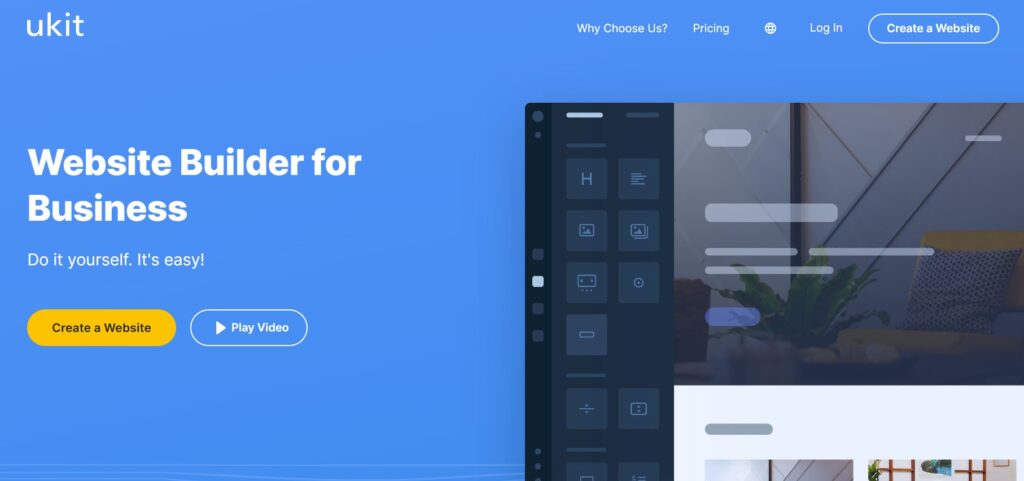
AI-powered upgrade tools like uKit AI address a specific subset of that gap. Understanding precisely what they do — and where they stop — is useful both for businesses evaluating whether to use one and for developers considering how it fits into a modernization strategy.
What the Process Looks Like, Technically
uKit AI takes a URL as its input. From there, the process runs in several stages:
Fetch and parse. The tool retrieves the existing page’s rendered HTML — what a browser actually sees after any server-side processing has occurred. It parses the DOM structure to identify sections, semantic hierarchy, and content blocks.
Section classification. Using the parsed structure, the AI classifies page elements by function. Navigation, hero area, content blocks, testimonials, service listings, contact sections, footer. This classification drives how content gets mapped to the new layout.
Content extraction. Text content is extracted from the classified sections. Headlines, body copy, service descriptions, address and contact data, and any other rendered text become the content the new layout is built around.
Layout generation. The extracted content is mapped to current layout patterns within the uKit builder. The output uses a responsive grid, modern spacing conventions, updated type hierarchy, and HTTPS. The result is available for review before publishing.
The full cycle runs in roughly ten minutes. What comes out is not a CSS refresh of the original site — it is a rebuilt layout on the uKit platform with the original content placed into it according to current conventions.
Where This Compares Favorably to Manual Modernization
A developer handling the same task manually would work through a process that, for a small-to-medium site, typically runs four to eight hours of focused work:
Audit the existing site for technical problems. Export or copy content. Choose a target framework or platform. Plan the section mapping. Build the responsive layout. Configure HTTPS. Implement updated typography and spacing. QA across browsers and screen sizes. Review content for accuracy in the new context.
The AI compresses this to ten minutes with no developer involvement in the execution. The quality of the output is different from what a developer would produce — the layout is competent and current, not custom — but for the use case where “competent and current” is the actual goal, the time trade-off is significant.
For a development studio, this changes the cost conversation with certain types of clients. A business that previously could not justify the cost of a proper modernization because it was not proportionate to the business stage now has a path to a technically sound site at a fraction of the project cost. Understanding where that path is appropriate versus where it falls short is part of scoping the right solution.
The post Best Website Builders to Create a Small Business Website covers the platform landscape for businesses at this stage — which is directly relevant when the question becomes not just “can we upgrade the site” but “is the uKit platform the right long-term home for it after the upgrade.”
Where the Tool Stops
Backend logic is out of scope. If the legacy site has custom forms with server-side validation, payment integrations, membership systems, calculated pricing, or any other functionality beyond what appears in the rendered HTML, none of that migrates. The AI is working with the front-end layer as it appears to a browser. Backend systems are untouched.
Database-backed content requires manual handling. Content stored in a CMS database that is not rendered in the static HTML will not be captured. For sites with large content libraries — many product listings, a blog archive, a resource database — the AI upgrade addresses only the pages it can see, not the underlying content system.
Platform portability is constrained. The output lives in uKit’s ecosystem. If the end goal is to migrate a legacy site to a different CMS, a custom React application, or a headless setup, this tool is not the right instrument. It is a fast path to a modern site on a specific platform, not a neutral modernization service.
Strategic decisions are not made. The AI applies current conventions. It does not evaluate whether the site is structured correctly for the business’s actual conversion goals, whether the content hierarchy serves the most important visitor needs, or whether the visual choices communicate the right things about the brand. These are judgment calls that require understanding of the business, not just its rendered HTML.
The Contact Flow Problem
One of the most consistent legacy site failures is a contact flow that made sense for an older web interaction model but creates unnecessary friction for current visitors. A phone number buried in the footer, a contact form with ten required fields, a “send us an email” link that opens a desktop mail client — these patterns were once standard and are now friction.
An AI upgrade will improve the visual presentation of whatever contact flow exists on the current site. It will not diagnose that the flow itself is the problem. If the contact path was poor before the upgrade, it will be better-looking and still poor after it.
For businesses that want to do more than modernize the visual layer — that want to use the upgraded site as an opportunity to rethink how they handle incoming inquiries — replacing a basic contact form with something more structured is worth considering. The analysis in From Contact Form to Smart Project Intake looks at this from the perspective of technical service businesses, but the principle applies across sectors: a contact flow that collects structured information at the point of inquiry saves time on both ends and improves the quality of the conversations that result.
After the Upgrade: What Maintenance Looks Like
Any site that goes through an AI-assisted upgrade is now running on the target platform’s infrastructure and editing tools. For a developer maintaining a site on behalf of a client, this changes the ongoing workflow compared to a custom CMS or a platform the studio manages directly.
The uKit CMS is designed for business owners to handle basic content updates without technical help — editing service descriptions, changing contact information, updating images. For clients who have historically relied on a developer for every small content change, this is often a practical improvement: they gain independence on routine updates, which reduces the ongoing maintenance load on the studio.
For developers who need access to the underlying template or want granular control over the CSS, the platform’s constraints become more relevant. The question is whether the client’s needs fit within what the platform offers — which is a planning consideration that should be resolved before the upgrade, not after.
Gathering Feedback to Evaluate the Upgrade
Once a site goes live after an AI upgrade, the most direct way to evaluate whether it is actually performing better is structured feedback — asking visitors or recent clients about their experience. Analytics can show whether traffic metrics improved, but they do not explain why a visitor did not convert or what question the site failed to answer. Direct feedback does.
If you are advising clients on how to gather this kind of information systematically, How to Run Surveys covers the methodology for setting up feedback collection that produces actionable data rather than just responses.
When to Recommend an AI Upgrade vs. Custom Development
The decision is cleaner than it might appear if you frame it around the actual problem being solved.
An AI upgrade is the right recommendation when: the existing content is mostly accurate and does not need structural rethinking; the site’s technical problems — mobile, HTTPS, outdated markup — are the primary barriers; the budget or timeline does not support a custom build; and working within the uKit platform long-term is acceptable for the client.
Custom development remains the right answer when: the site has backend functionality that needs to migrate; the content needs significant rethinking alongside the visual redesign; brand differentiation requires design choices that cannot be achieved through current conventions; or the client specifically needs control over the codebase or platform independence.
Neither answer is universally right. The useful skill is asking the right questions to identify which problem is actually present before recommending an approach.
Summary
AI website upgrade tools like uKit AI address a specific, bounded set of legacy site problems: mobile responsiveness, HTTPS, visual dating, and technical markup. They do this in a fraction of the time manual modernization requires and at a different cost point. The trade-off is the absence of custom design, constrained platform portability, and no handling of backend systems or strategic content decisions. Used for the right use case, the trade-off is favorable. Used for the wrong one, the gaps are significant. The practical skill is distinguishing between the two before the work begins.